
Send a satisfaction survey when a ticket is closed after a real conversation between an agent and a customer
Why it matters
A satisfaction survey is the simplest way to hear directly from your customers about the quality of the support they received. Because the survey is sent when a ticket is closed after a real conversation between an agent and a customer, the feedback you collect reflects genuine, human-handled interactions — not conversations that closed without anyone stepping in. Turning this on gives your team a steady signal of how support is landing with customers, which you can use to spot problems early, recognize strong performance, and track whether changes to your process are actually improving the experience.What you can customize
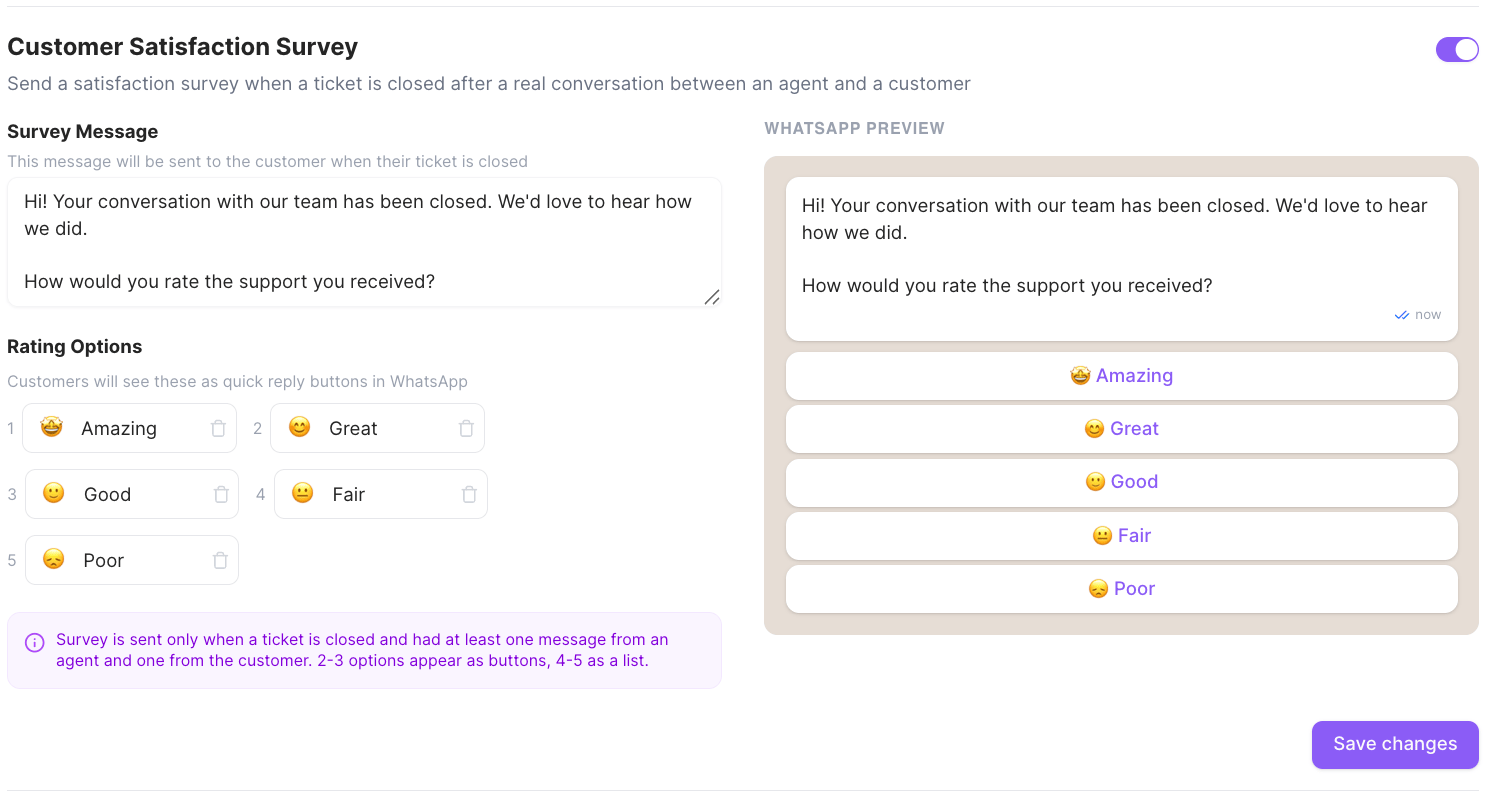
When the survey is on, you can tailor exactly what the customer receives, with a live WhatsApp preview shown alongside your changes. Survey message — the message sent to the customer when their ticket closes. The default is:Hi! Your conversation with our team has been closed. We’d love to hear how we did. How would you rate the support you received?Rating options — the quick-reply choices the customer taps to rate you. Each option has an emoji and a label; the defaults are:
You can change each option’s emoji and label, add options, or remove them. How they
appear to the customer depends on how many you have: 2–3 options show as buttons, and
4–5 show as a list.
Click Save changes when you’re done.
How it fits with the ticket lifecycle
The survey is tied to the moment a ticket closes, so it works together with the ticket lifecycle settings in Ticket management & automation:- A ticket reaches the closed state either when an agent closes it, or automatically via Ticket Closure Time after it’s been marked resolved.
- Two extra conditions must be met before a survey goes out: the ticket must have been closed after a real conversation between an agent and a customer. Tickets that close without genuine agent–customer interaction don’t trigger a survey.