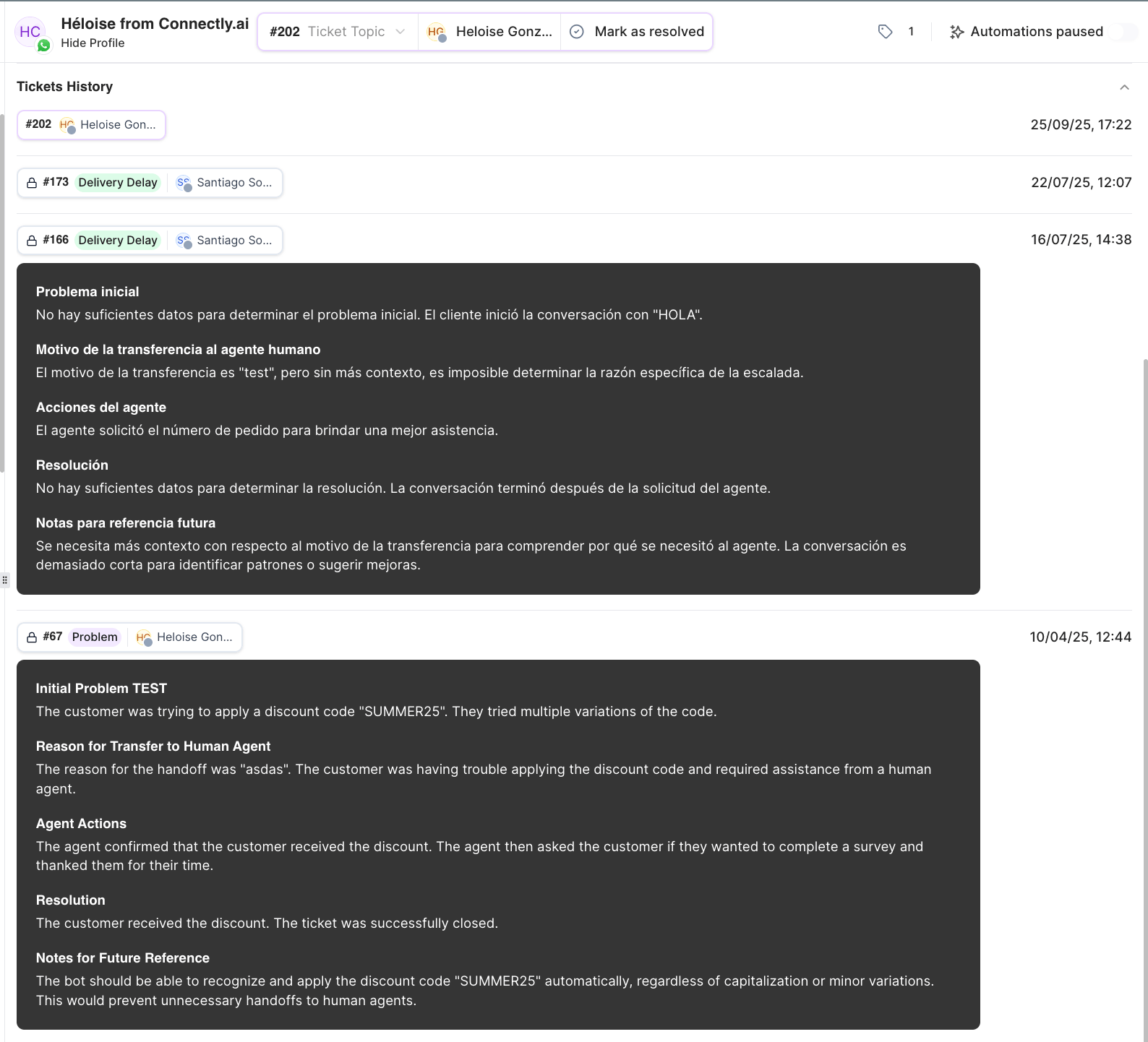
Ticket states
How long a resolved ticket waits before it closes, and whether tickets auto-resolve after inactivity, are configured in Ticket management & automation.
Open a ticket
A ticket opens when you assign it to yourself or send a reply. If your business requires a ticket topic, you’ll be asked to pick one when the ticket opens.Assign and reassign
- Assign to me — take the ticket yourself. If you belong to teams, you may be asked to route it to one of them.
- Assign to someone else — assign the ticket to another agent or a team.
- Reassign — hand an open ticket to a different agent or team.
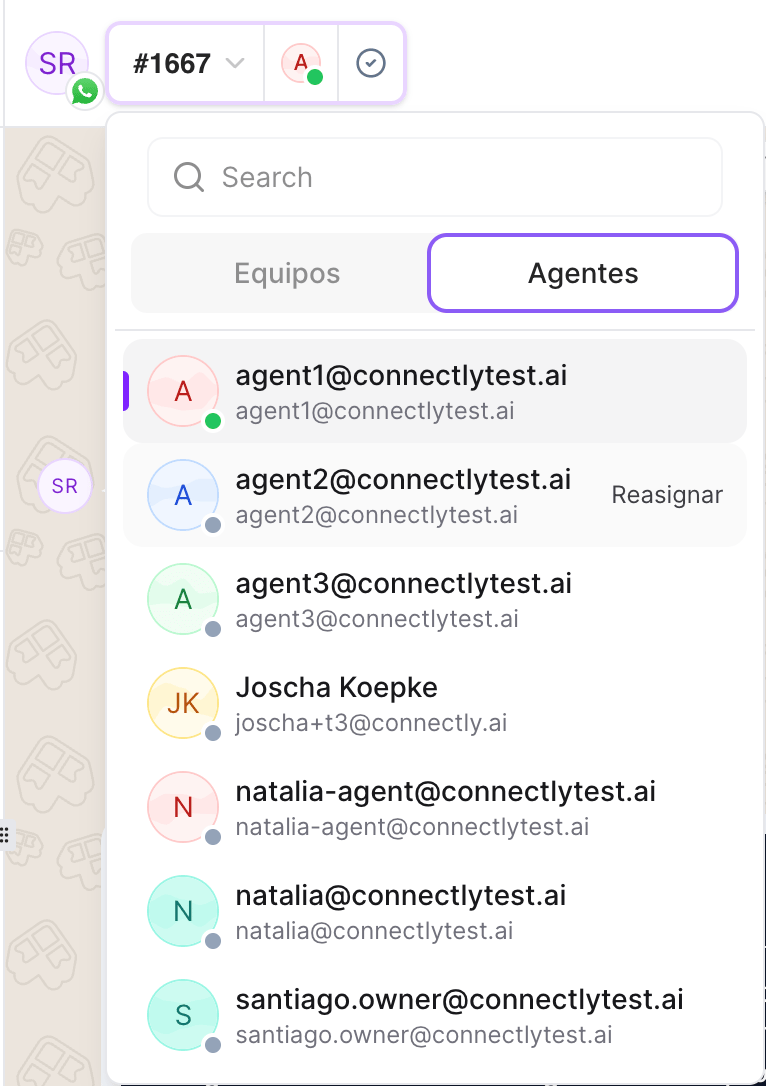
How tickets are automatically created and routed to agents or teams is covered in Ticket Routing.
Resolve a ticket
Click Mark as resolved when the customer’s issue is handled. Depending on your business settings, you may be asked to add a resolution reason — this can be optional or required. (Set which one in Ticket management & automation.)Reopen a ticket
A resolved ticket can be reopened with Reopen if the customer comes back or the issue isn’t fully solved. A ticket also reopens automatically if you reply to a resolved conversation.There’s no manual “close” button — tickets move from resolved to closed automatically based on your closure settings. Closing a ticket is what generates its AI summary (below).
Ticket topics
Assign a topic to categorize what the ticket is about. Topics can be optional or required — manage the available topics in Topics & tags.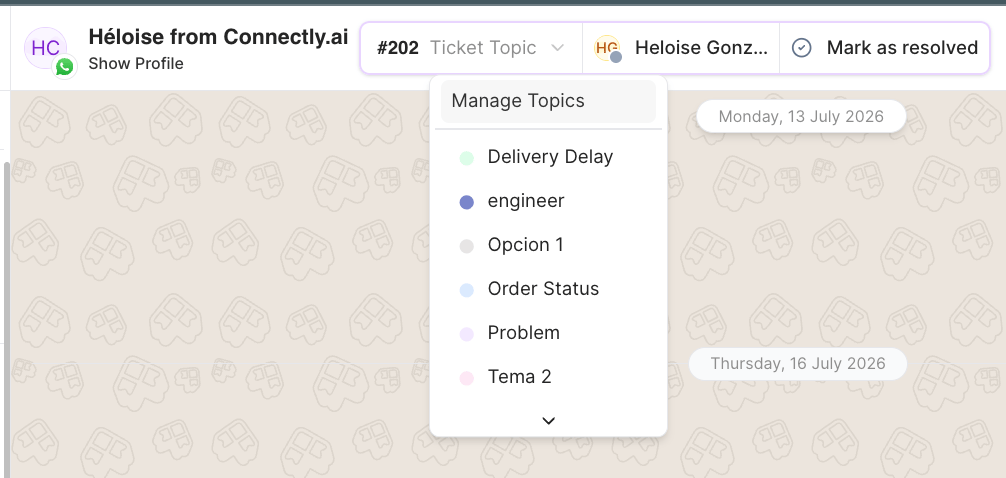
Pause and resume automations
The action bar has an Automations toggle for the conversation:- Automations active — automated messages and Sofia AI can run in this conversation.
- Automations paused — automations are held while a human handles the conversation.
The AI summary
When a ticket closes, Connectly generates an AI summary of the conversation and shows it inline in the chat thread. You’ll also find each ticket’s summary in the customer panel under ticket history. The summary condenses the conversation into clear sections — such as the customer’s initial problem, why it was escalated to a human, the actions the agent took, how it was resolved, and notes for future reference — so anyone reviewing the ticket later gets the full story at a glance.