> ## Documentation Index
> Fetch the complete documentation index at: https://docs.connectly.ai/llms.txt
> Use this file to discover all available pages before exploring further.
# Analytics: live monitoring & auto-assignment
> See open tickets and queued conversations in real time, and measure how auto-assignment is performing 📊
The bottom of the Inbox analytics page (**Analytics → Inbox**) has real-time views for
monitoring your team right now, plus a breakdown of how automatic ticket assignment is
performing. These are available to owners and analytics roles.
## Current Open Tickets
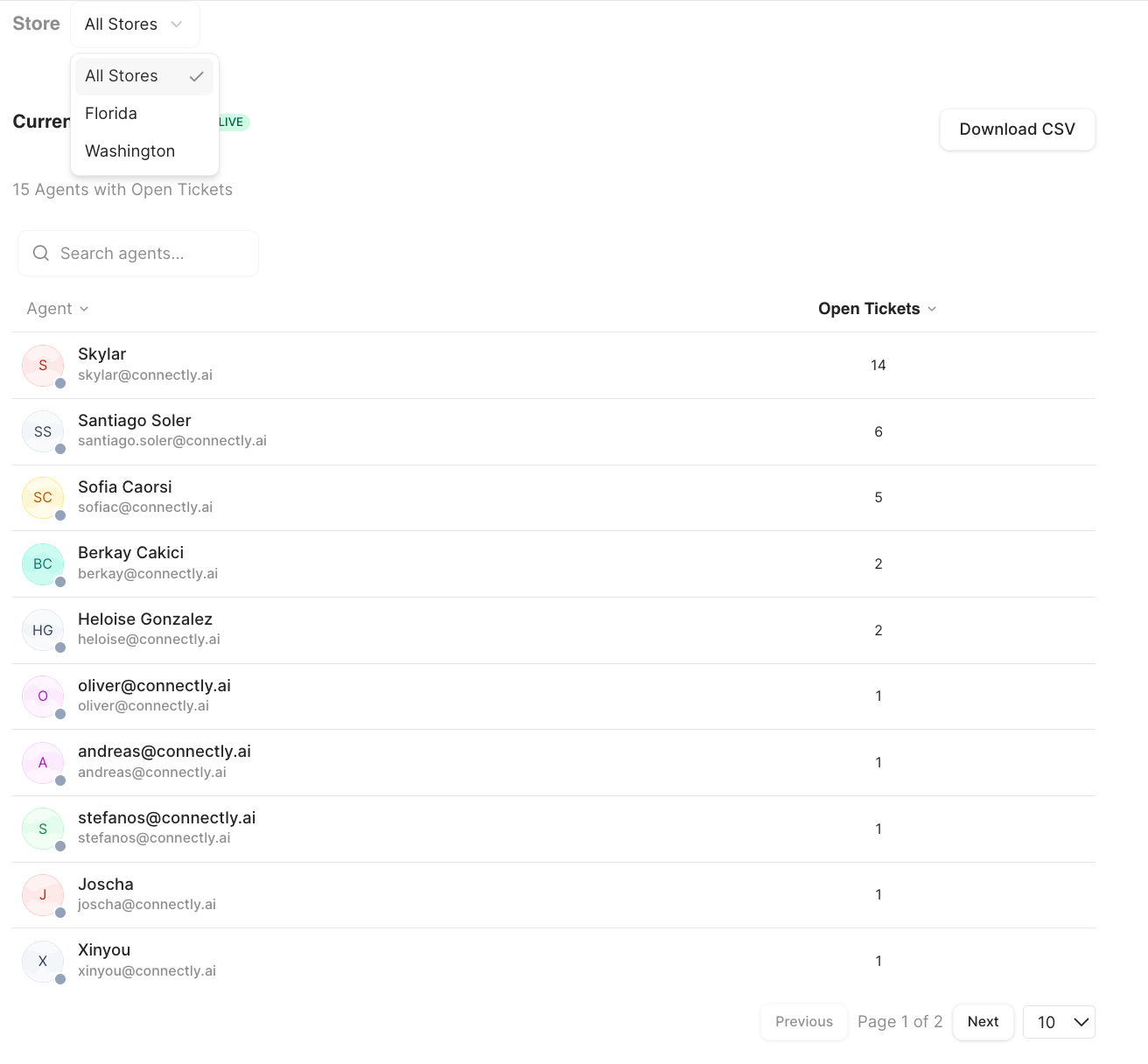
A **live** snapshot of open tickets by agent — it's not tied to the date range. It shows
each agent and how many open tickets they're holding, so you can spot who's overloaded
at a glance.
* Click an agent to see that agent's open tickets, and open any conversation from there.
* If your business uses teams, you can **Group by Team** to see open tickets organized
by team (with buckets for conversations with no team or a missing assignment).
* Search agents and **Download CSV** are available.
 ## Currently Queued Rooms
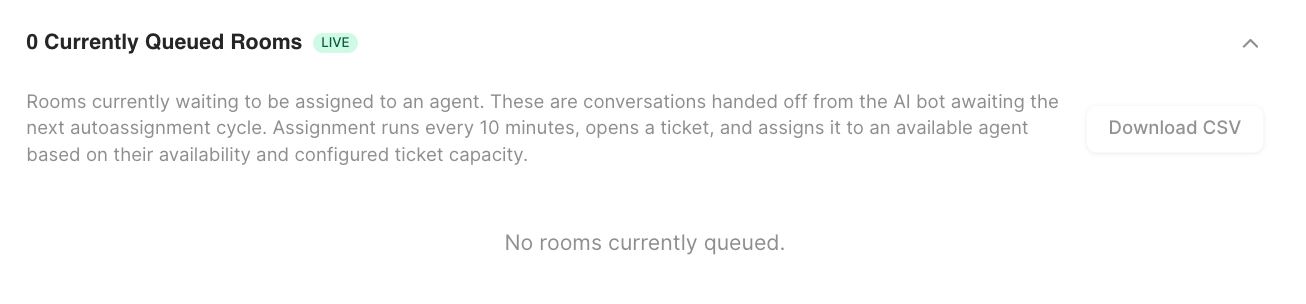
A **live** table of conversations waiting to be automatically assigned to an agent. It
refreshes on its own and shows:
| Column | What it is |
| ------------------- | ---------------------------------------- |
| **Customer** | The customer waiting in the queue. |
| **Phone** | The customer's phone number. |
| **Handover Time** | When the conversation entered the queue. |
| **Est. Assignment** | Estimated time until it's assigned. |
Rooms wait here for the next auto-assignment cycle. Click the eye icon to open a
conversation. This view is relevant when
[Ticket Routing](/inbox/ticket-routing) is set to automatically assign conversations.
## Currently Queued Rooms
A **live** table of conversations waiting to be automatically assigned to an agent. It
refreshes on its own and shows:
| Column | What it is |
| ------------------- | ---------------------------------------- |
| **Customer** | The customer waiting in the queue. |
| **Phone** | The customer's phone number. |
| **Handover Time** | When the conversation entered the queue. |
| **Est. Assignment** | Estimated time until it's assigned. |
Rooms wait here for the next auto-assignment cycle. Click the eye icon to open a
conversation. This view is relevant when
[Ticket Routing](/inbox/ticket-routing) is set to automatically assign conversations.
 ## Auto-Assignment Performance
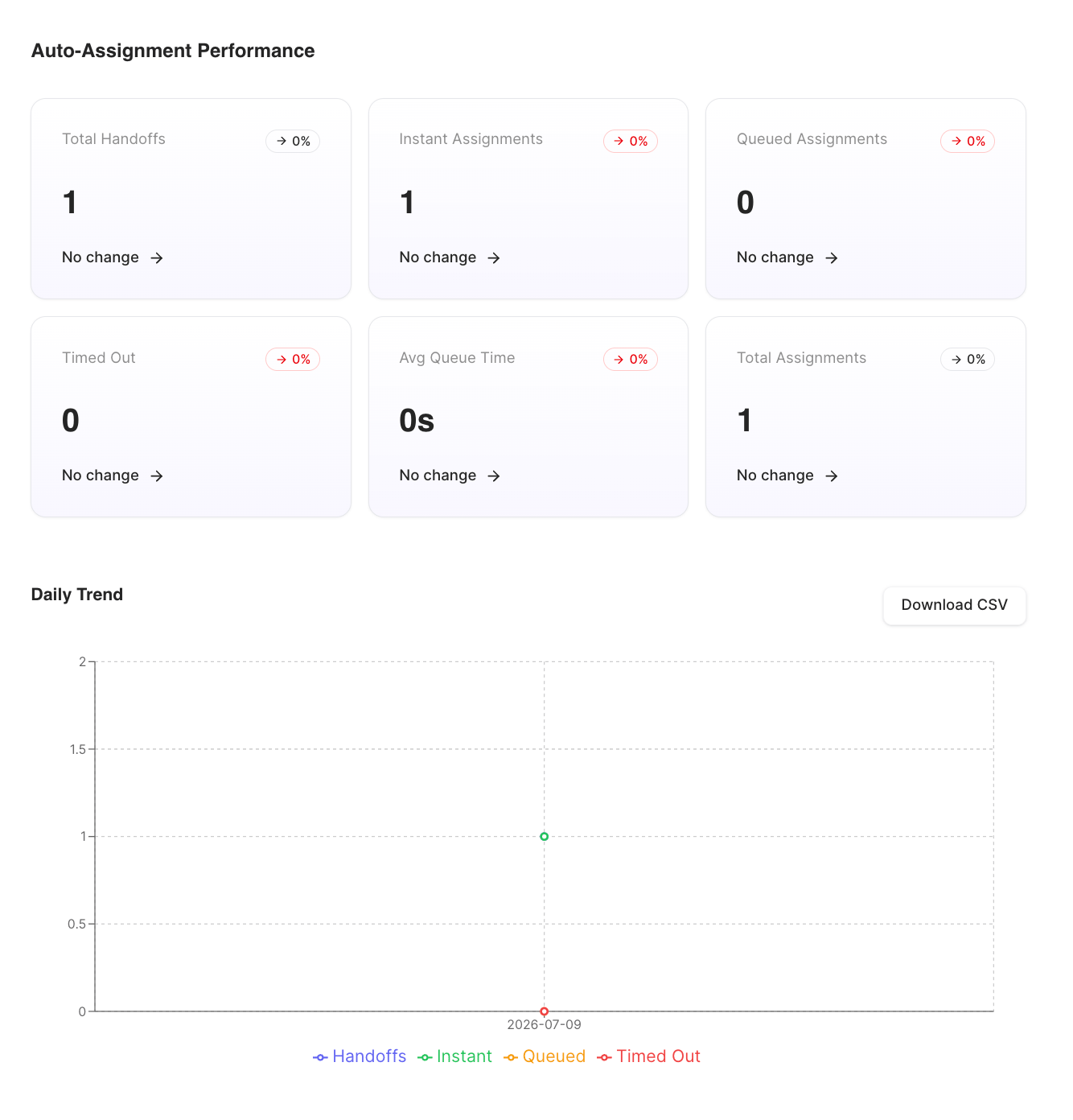
This section measures how well automatic assignment is working over the selected period.
(It's hidden when there were no handovers in the period.)
**KPI cards:**
| Metric | What it measures |
| ----------------------- | --------------------------------------------------------- |
| **Total Handoffs** | Conversations handed off to be assigned. |
| **Instant Assignments** | Handoffs assigned immediately to an available agent. |
| **Queued Assignments** | Handoffs that had to wait in the queue before assignment. |
| **Timed Out** | Handoffs that waited too long without being assigned. |
| **Avg Queue Time** | Average time spent waiting in the queue. |
| **Total Assignments** | Total assignments made. |
## Auto-Assignment Performance
This section measures how well automatic assignment is working over the selected period.
(It's hidden when there were no handovers in the period.)
**KPI cards:**
| Metric | What it measures |
| ----------------------- | --------------------------------------------------------- |
| **Total Handoffs** | Conversations handed off to be assigned. |
| **Instant Assignments** | Handoffs assigned immediately to an available agent. |
| **Queued Assignments** | Handoffs that had to wait in the queue before assignment. |
| **Timed Out** | Handoffs that waited too long without being assigned. |
| **Avg Queue Time** | Average time spent waiting in the queue. |
| **Total Assignments** | Total assignments made. |
 **Breakdowns below the KPIs:**
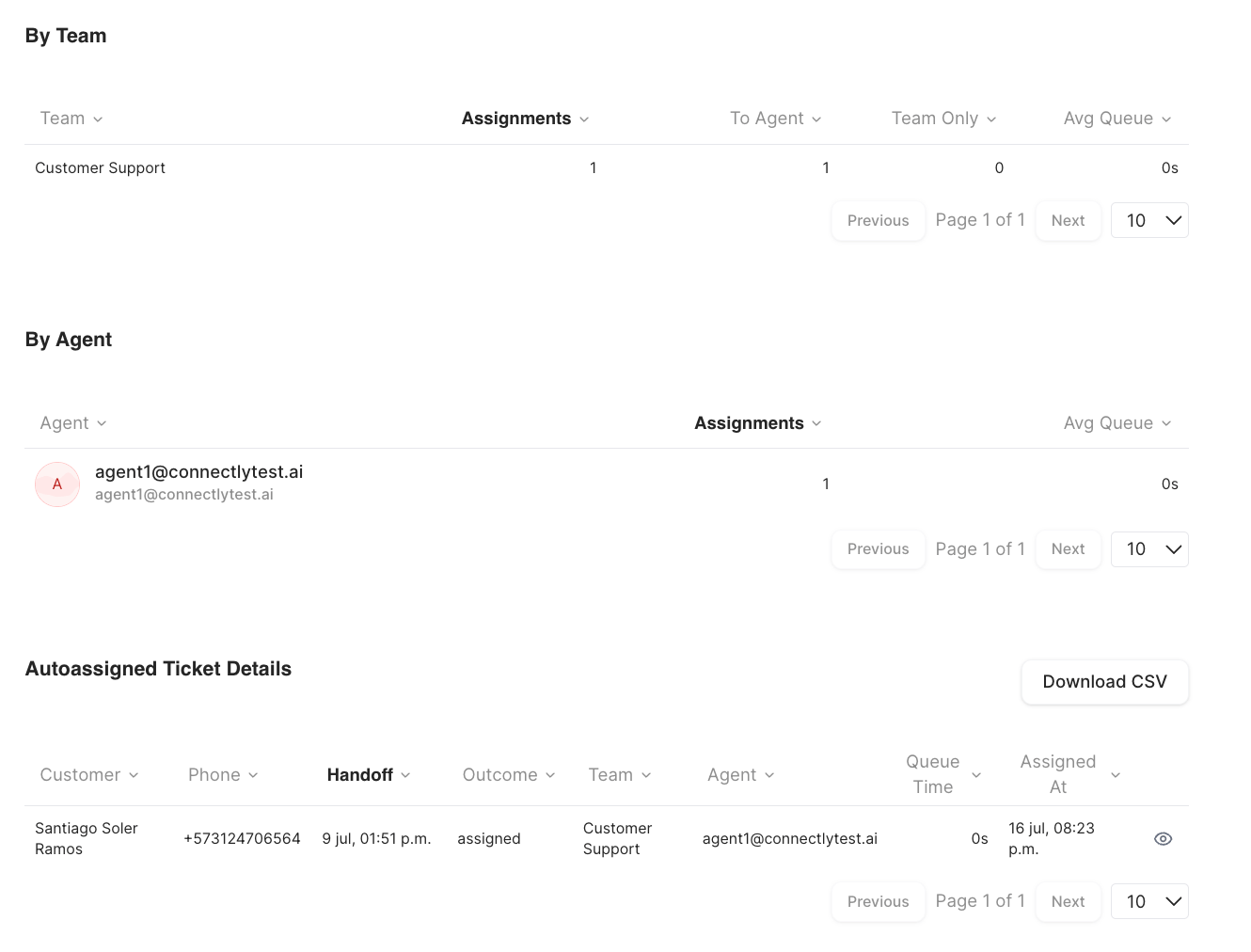
* **Daily Trend** — a chart of handoffs, instant, queued, and timed-out assignments per
day.
* **By Team** — Team, Assignments, To Agent, Team Only, Avg Queue.
* **By Agent** — Agent, Assignments, Avg Queue.
* **Autoassigned Ticket Details** — a per-ticket table (customer, handoff, outcome,
team, agent, queue time, assigned-at) with an eye icon to open the conversation.
**Breakdowns below the KPIs:**
* **Daily Trend** — a chart of handoffs, instant, queued, and timed-out assignments per
day.
* **By Team** — Team, Assignments, To Agent, Team Only, Avg Queue.
* **By Agent** — Agent, Assignments, Avg Queue.
* **Autoassigned Ticket Details** — a per-ticket table (customer, handoff, outcome,
team, agent, queue time, assigned-at) with an eye icon to open the conversation.
 Each part has its own **Download CSV**.